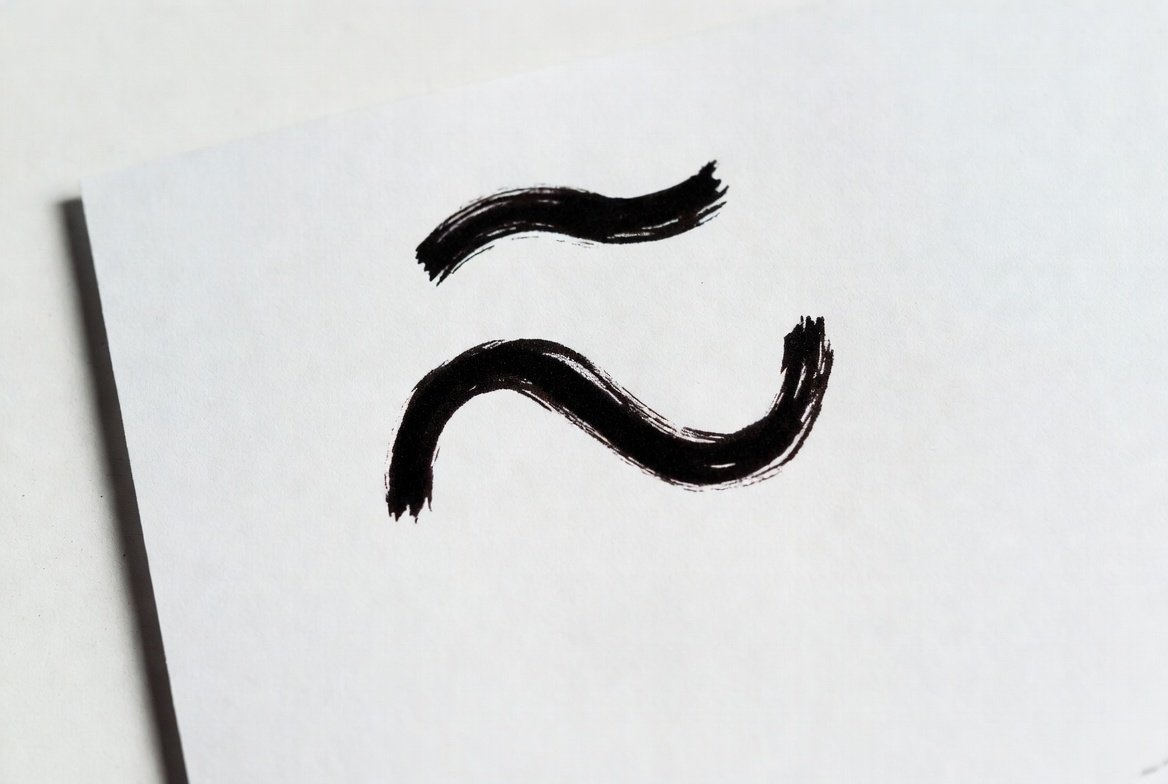
Approximately Symbol: Everything You Need to Know
The approximately symbol is a simple yet powerful character used in math, science, and everyday writing to indicate something is not exact but close enough. If you’ve ever wondered, “what is the symbol for approximately?” or “how to write approximately symbol,” you’re in the right place. In this guide, we’ll cover everything—from its meaning to keyboard shortcuts, Alt codes, and usage examples—so you can confidently use it anywhere.
What Is the Symbol for Approximately?
The symbol for approximately is ≈. It is called the “tilde equal” sign in mathematics. People often use it to show that a number, value, or statement is not exact but nearly correct. For example, you might write 3.14 ≈ π, which means 3.14 is approximately equal to pi.
This symbol is widely recognized in math, physics, statistics, and even casual writing. Understanding what symbol means approximately can help you communicate ideas more clearly, especially when precision is unnecessary.
How to Write Approximately Symbol
There are multiple ways to write the approximately symbol depending on your device. On Windows, you can use the Alt code method by holding the Alt key and typing 247. On Mac, the shortcut is Option + X. You can also copy and paste the symbol directly from online sources or character maps.
If you’re typing in LaTeX, use \approx to insert the approximately symbol. Knowing these methods ensures you can write approximately symbol in documents, spreadsheets, or coding projects.
Approximately Symbol on Keyboard
Wondering if there’s an approximately symbol on keyboard? On standard keyboards, the symbol isn’t printed directly. But here’s a quick tip: on Windows, press Alt + 247. On Mac, press Option + X. Many software programs, like Microsoft Word, also allow you to insert the symbol from the “Insert > Symbol” menu.
This way, you never have to struggle with typing it manually, making your work faster and cleaner.
Approximately Symbol Alt Code
The approximately symbol Alt code is Alt + 247 for Windows users. Just hold the Alt key and type 247 on the numeric keypad. For laptops without a numeric keypad, you might need to enable the function key or use the character map.
Alt codes are an easy method to write the symbol without searching online or copying it. This method is reliable and works in most text editors, emails, and spreadsheets.
Approximately Symbol in LaTeX
For students, scientists, and programmers, the approximately symbol LaTeX command is \approx. For example, writing x \approx 10 in a LaTeX document will display as x ≈ 10.
LaTeX is commonly used in academic papers, research, and technical documentation. Knowing this command ensures you can maintain professionalism and accuracy in your documents.
Approximately Symbol on Mac
On Mac computers, the approximately symbol Mac shortcut is Option + X. Just hold Option and press X, and the symbol appears.
This works in most Mac programs, including Pages, Numbers, and text editors. It’s a handy shortcut for quickly adding the symbol without searching online.
Equals Approximately Symbol
Sometimes, people ask about the equals approximately symbol. This is the same as the approximately symbol (≈). It conveys “roughly equal” or “close enough” without being exact.
For example, in physics, you might write v ≈ 9.8 m/s² to indicate the approximate acceleration due to gravity. This communicates the idea effectively while keeping math simple.
How to Copy and Paste Approximately Symbol
The easiest method to use the approximately symbol copy and paste is to copy it directly from this page: ≈. You can then paste it into Word, Excel, Google Docs, or anywhere else you need it.
This method is especially useful for those who don’t want to remember shortcuts or Alt codes.
Shortcut for Approximately Symbol
Here’s a quick list of shortcut for approximately symbol:
- Windows: Alt + 247
- Mac: Option + X
- LaTeX: \approx
These shortcuts work across most software and make typing the symbol faster than copying it every time.
Why the Approximately Symbol Is Important
The approximately symbol is more than just a math sign. It helps:
- Show estimations in everyday life.
- Simplify calculations in science and engineering.
- Communicate approximate data in reports or presentations.
Without it, conveying “close enough” values would require extra words or explanations. This small symbol saves time and makes writing clearer.
Real-Life Examples of Using the Approximately Symbol
- Temperature: “The room temperature is ≈ 25°C.”
- Finance: “The cost of the item is ≈ $50.”
- Math: “π ≈ 3.14.”
These examples show how the symbol is useful in daily life, academics, and professional settings.
FAQs
1. What’s the symbol for approximately?
It is ≈, used to show a value is not exact but close.
2. Is there a symbol for approximately on keyboard?
Yes, on Windows use Alt + 247, on Mac Option + X.
3. How do you write approximately symbol in LaTeX?
Use \approx to display ≈.
4. Can I copy and paste the approximately symbol?
Yes, simply copy ≈ from any website or document.
5. What does the equals approximately symbol mean?
It indicates “roughly equal” or “almost equal.”
6. How do I type approximately symbol on Mac?
Hold Option and press X.
Conclusion
The approximately symbol is simple, versatile, and essential for clear communication. Whether you’re writing math equations, estimating values, or sharing data, knowing how to use this symbol adds clarity and precision. Use shortcuts, Alt codes, or copy-paste methods to insert it quickly in your work. Start practicing today, and you’ll never struggle to express approximations again.